Introduction
Thermo Fisher Scientific provide a number of specialised pDONR vectors that allow multiple “parts” (2, 3 or 4) to be recombined, in a specific order and orientation, with a destination vector. The Geneious Prime Gateway® Cloning tool allows simulation of multisite Gateway® reactions. See the MultiSite Gateway® Pro manual for detailed information on multisite Gateway® cloning.
- Design primers for PCR amplification and addition of unique attB sites to each part.
- Create individual entry clones for each part using specific multisite pDONR vectors.
- Recombine the 3 entry clones with a destination vector using the Gateway® cloning tool.
Watch the video or follow the steps below
Understand the concepts behind multisite Gateway® cloning, choose attB sites for correct insertion, design primers, and simulate BP and LR reactions.
About Gateway® Cloning
The Gateway® clonase recognition sites are directional and must be orientated appropriately in order for multisite recombination to proceed correctly. If you examine the above figure you will see that in a 3 part clonase reaction the PCR products for parts 1 & 3 have attB sites oriented to point inwards, whereas for part 2 the attB sites are oriented to point outwards.
For multisite Gateway® cloning, variants of the attB recognition site are used for each part, in the case of a 3 part reaction: attB1+attB4, attB4R+attB3R and attB3+attB2.
The following table is provided to assist when using the Geneious primer design tool to ensure you select the correct att sites when adding to primers for amplification of multisite Gateway® parts.
Vector and recombination type | left/right att sites | att site to add to forward primer | Att site to add to reverse primer |
pDONR221 P1-P5R | | | |
2-fragment – part 1 | attB1 | Sense: attB1 | |
4-fragment – part 1 | attB5r | | Antisense: attB5r |
pDONR2221 P5-P2 | | | |
2-fragment – part 2 | attB5 | Sense: attB5 | |
| attB2 | | Antisense: attB2 |
pDONR221 P1-P4 | | | |
3-fragment – part 1 | attB1 | Sense: attB1 | |
| attb4 | | Antisense: attB4 |
pDONR221P4R-P3R | | | |
3-fragment – part 2 | attB4r | Sense: attB4r | |
4-fragment – part 2 | attB3r | | Antisense: attB3r |
pDONR221 P3-P2 | | | |
3-fragment – part 3 | attB3 | Sense: attB3 | |
4-fragment – part 3 | attB2 | | Antisense: attB2 |
pDONR221 P5-P4 | | | |
4-fragment – part 4 | attB5 | Sense: attB5 | |
| attB4 | | Antisense: attB4 |
About the data
The files for this exercise are provided in a subfolder called Multisite Gateway® cloning. Select this folder to see the example files required for this exercise in the Document Table.
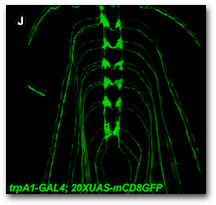
As part of the work described by Peterson and Stowers (2011), a Gateway® multisite reaction was used to place the yeast GAL4 CDS between two regulatory elements derived from the D. melanogaster trpA1 gene. The final Gateway® construct was then integrated into into the D. melanogaster genome to demonstrate that the trpA1 regulatory elements upregulated GAL4 expression, and consequently UAS-GFP (green fluorescent protein) expression, in larval sensory neurons.
In this exercise we will simulate the work of Peterson and Stower and use the Geneious Gateway® tool to perform a Gateway® multisite reaction to combine separate upstream and downstream D. melanogaster trpA1 regulatory elements (trpA1 UP and trpA1 Down) with the yeast GAL4 transcriptional activator CDS and with the D. melanogaster-specific destination vector pDESTHaw.
The required part order (with att sites used) is depicted below:
In this exercise we will:
- Design primers for PCR-mediated addition of unique attB sites to each of the trpA1 UPstream, GAL4, and trpA1 DOWNstream parts. Primer binding regions will be designed to have a predicted Tm of around 55°C.
- Create individual entry clones for each part using specific multisite pDONR vectors.
- Recombine the 3 entry clones with the destination vector pDESTHaw, using the Gateway® cloning tool, to create a sequence suitable for PhiC31 integrase (attB)-mediated integration into the genomes of D. melanogaster embryos.
Primer Design and PCR
Primer design for trpA1 5′ regulatory element (trpA1 UP)
The trpA1 5′ regulatory element will be the first part of a 3 part reaction. As per the table in the Multipart Overview we need to use PCR to add flanking attB1 and attB4 sites to the first trpA1 UP sequence.
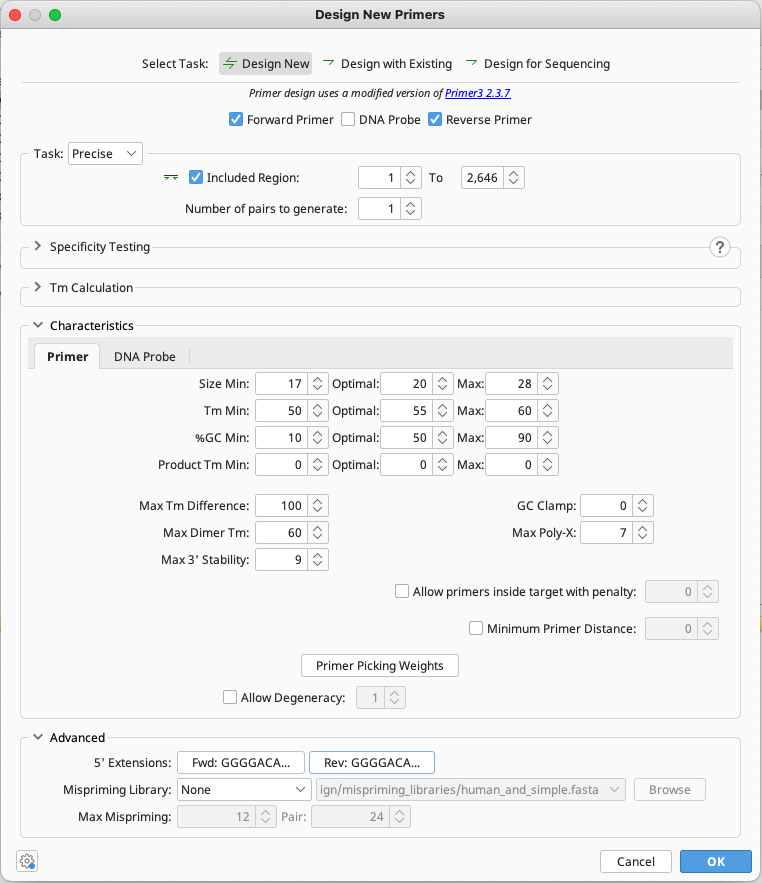
The 5′-terminus of the trpA1 UP sequence contains a short palindromic motif that results in primers designed across this region having a high predicted Hairpin Tm. To successfully design PCR primers to amplify this sequence using the Design new Primers tool we will need to adjust the default Primer Design settings.
Select the trpA1 UP sequence, click the Primers button in the Toolbar and choose Design new Primers.
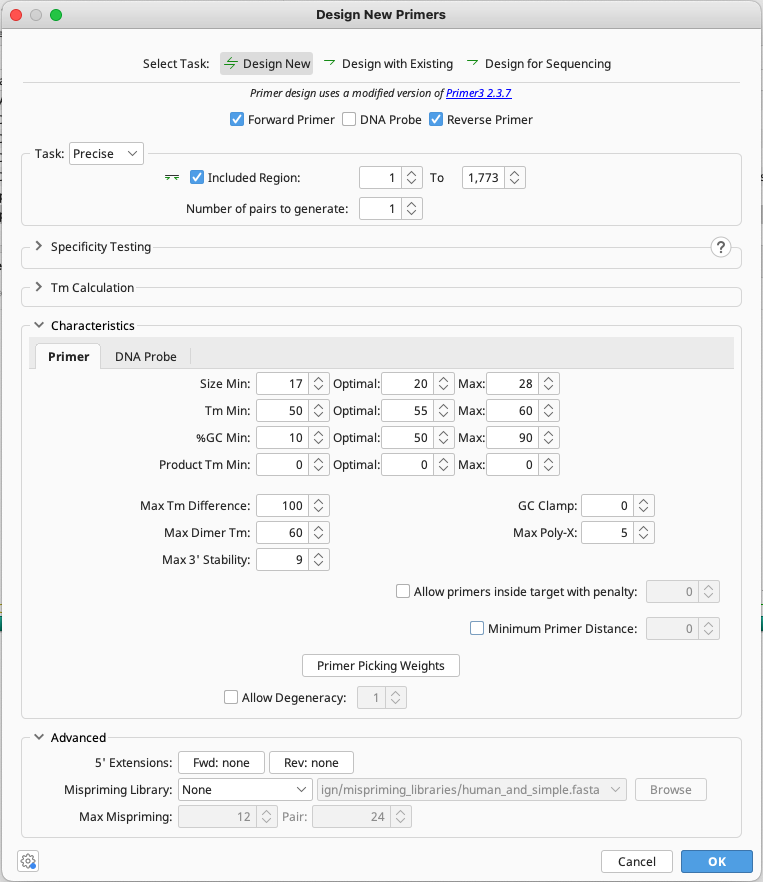
Use the settings shown below. Make sure the Max dimer Tm setting is high (60°C) to ensure the forward primer design does not fail due to the presence of the palindromic motif.
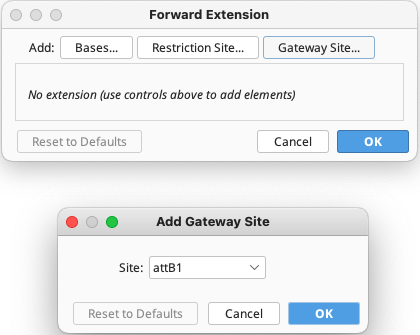
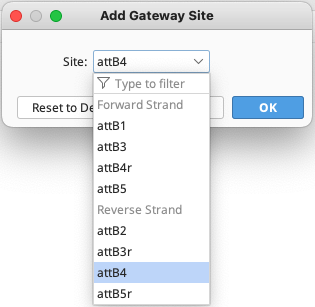
To add Gateway® extensions to the primers, expand the Advanced section of the Setup window, then click on the 5′ Extensions: Fwd: button, click the Reset defaults to remove any previous settings, then click the Gateway® site… button and from the drop down menu choose Site: attB1.
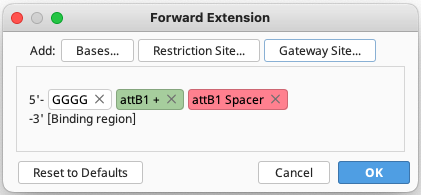
Click OK, and you will see that the extension will comprise 4 G nucleotides and an attB1 site.
Click the 5′ Extensions Rev: button, click the Reset to Defaults button to clear existing settings, then click the Gateway® site button and add an antisense AttB4 site.
Click OK and OK again to run the Primer Design tool and new forward and reverse primers should be added to the sequence. Hit Save.
Now select the trpA1 UP fragment and go Primers -> Extract PCR Product to generate the PCR product amplified by the new primers. This PCR product will be used in the next section for recombination with the entry vector pDONR221 P1-P4.
Primer design for GAL4 CDS sequence
The GAL4 CDS will be the second part of the 3 part multisite reaction. As per the table in the Multipart Overview we need to add flanking attb4r and attb3r sites to the GAL4 sequence.
Select the GAL4 sequence file, and click the Primers button in the Toolbar and choose Design new Primers.
Perform the same steps as in Step 1, this time adding a sense attB4r site to the forward primer and an antisense attB3r to the reverse primer.
The GAL4 sequence contains a 7 nucleotide polyA-region at it’s 3′ end in the region where a primer will be designed. To prevent the Primer Design tool failing due to the poly-A region set the Max Poly-X value to 7.
Once primers are added to the GAL4 sequence, select and go Primers -> Extract PCR Product to generate the PCR product amplified by the new primers. This PCR product will be used in the next section for recombination with the entry vector pDONR221 P4r-P3r.
Primer design for trpA1 3′ regulatory element (trpA1 DOWN)
The trpA1 DOWN 3′ regulatory region will be the third part of a 3 part multisite reaction. As per the table in the Multipart Overview we need to add flanking attB3 and attB2 sites to the trpA1 DOWN sequence.
Select the trpA1 DOWN sequence file, and click the Primers button in the Toolbar and choose Design new Primers.
Perform the same steps as those in step 1, this time adding a Sense attB3 site to the forward primer and an antisense attB2 to the reverse primer.
Once primers are added to the trpA1 DOWN sequence, select and go Primers -> Extract PCR Product to generate the PCR product amplified by the new primers. This PCR product will be used in the next section for recombination with the entry vector pDONR221 P3-P2.
You should now have three PCR products ready for integration into donor vectors.
Create Entry Vectors
We will now combine our new PCR products with the appropriate donor vectors using the Gateway® Cloning tool.
Select the new trpA1 UP PCR product and the pDONR221 P1-P4 vector and go Cloning → Gateway® Cloning. This will create a new circular vector called pDONR221 P1-P4 – trpA1 UP PCR Product Entry clone.
Select the new GAL4 PCR product and the pDONR221 P4r-P3r vector and go Cloning → Gateway® Cloning tool. This will create a new circular vector called pDONR221 P4r-P3r – GAL4 PCR Product Entry clone.
Select the new trpA1 DOWN PCR product and the pDONR221 P3-P2 vector and go Cloning → Gateway® Cloning tool. This will create a new circular vector called pDONR221 P4r-P3r – GAL4 PCR Product Entry clone.
We now have 3 pDONR entry vectors that can be recombined with an appropriate destination vector in a multisite reaction.
Create Final Destination Vector
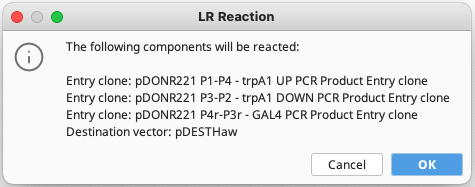
To create the final destination vector, select pDESTHaw vector and the three new entry clone sequences. Go Cloning → Gateway® Cloning. If all vectors have compatible attB sites then you will see the following dialog:
Click OK and a new 15,894 bp circular sequence will be created called pDESTHaw – Reaction of 3 fragments Expression clone.
Rename the sequence to something more useful, select the pDESTHaw – Reaction of 3 fragments Expression clone.
Single Step Multisite BP and LR Reactions
To simplify your Gateway® multisite reactions it is possible to use the Gateway® cloning tool to perform all BP and LR reactions in a single operation. Simply select your three PCR products generated earlier with attB sites, the corresponding 3 pDONR vectors and the pDestHaw destination vector and go Cloning → Gateway® Cloning.
The Gateway® cloning tool will confirm the selected sequences can be “reacted” and create the same 15,894 bp pDESTHaw-based expression plasmid.
Prepare Gateway® Vectors
The Thermo Fisher Scientific website provides the sequences for their Gateway® vectors. However they are not available in a useful annotated form.
If you obtain and import an unannotated Gateway® vector sequence then you can use the Geneious Annotate from: tool to identify and annotate various features onto the sequence. For more information see the Transferring annotations tutorial on Geneious Academy.
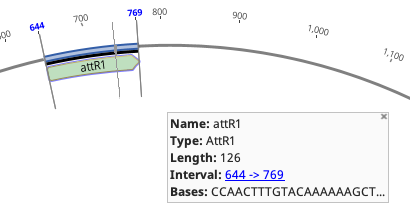
The Geneious Gateway® cloning tool requires that Gateway® vectors and inserts are annotated with special att annotations. For example, an attR1 motif should be annotated with an annotation of Type: AttR1 and Name: attR1.
To add correct att annotations to your vector sequences, select your new vector sequence and go Cloning→Annotate att sites.
If you receive an annotated Gateway® sequence that appears to have att annotations, but it is not accepted by the Gateway® cloning tool then double check each att annotation and ensure the correct Type is set.
If you are unsure if the att annotations are correct then select and delete them then use the Cloning→Annotate att sites operation to identify and add the appropriate att site annotations to your sequence.


 Geneious Prime
 Geneious Biologics